Context
Fall 2023
Solo passion project
My Role
User Research, user testing, wire framing, prototyping, research analysis, UI style guide
DISCOVERY
Hanging out with friends is fun.
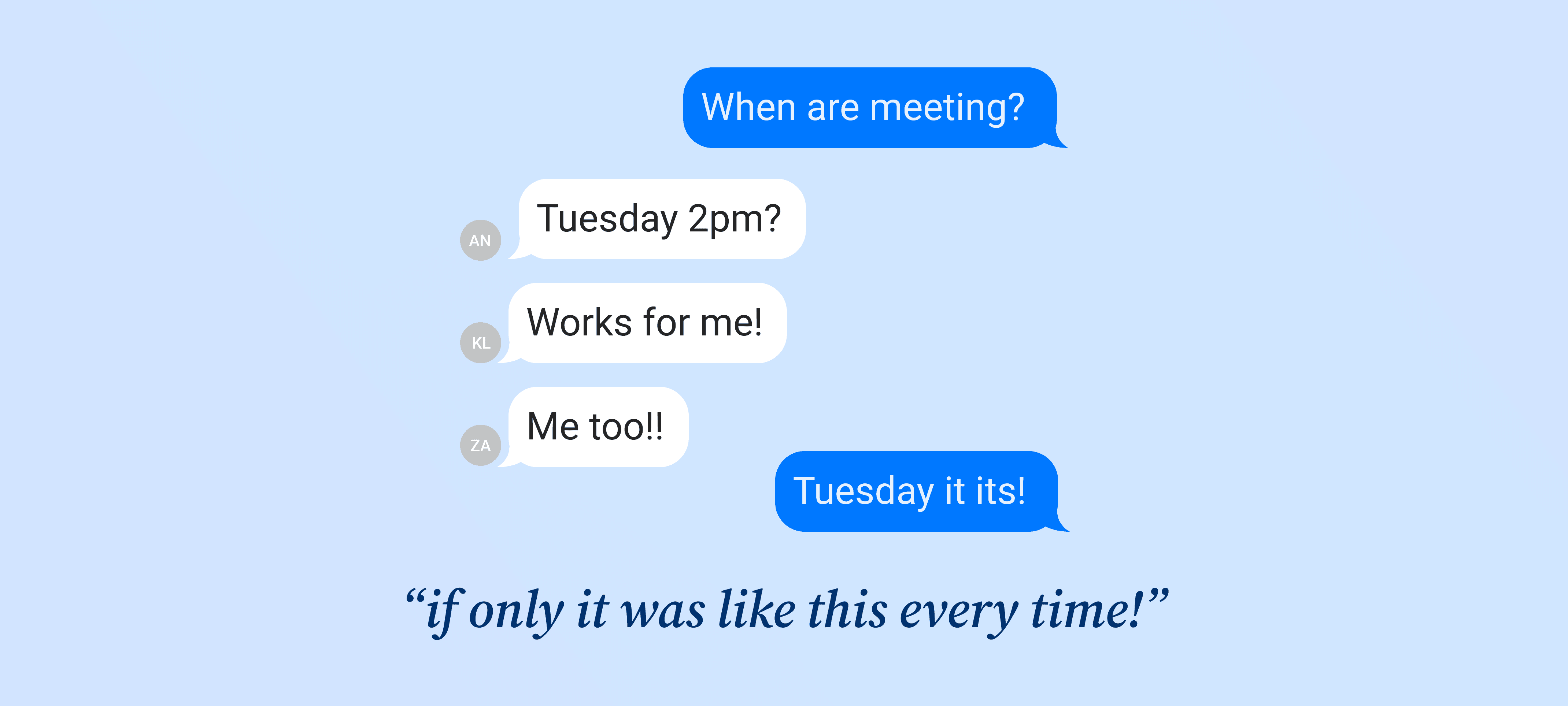
But planning can be frustrating and time-consuming.
Group chats get long, decisions get buried, and it’s easy to lose track of who’s in or what time works best. A simple plan often turns into endless messages that take more effort than they should. How can we make planning easier?
RESEARCH
What makes planning so difficult?
To find out, I conducted qualitative interviews with people who regularly hang out in groups to learn about their challenges and identify ways to make planning easier. The main pain points were:
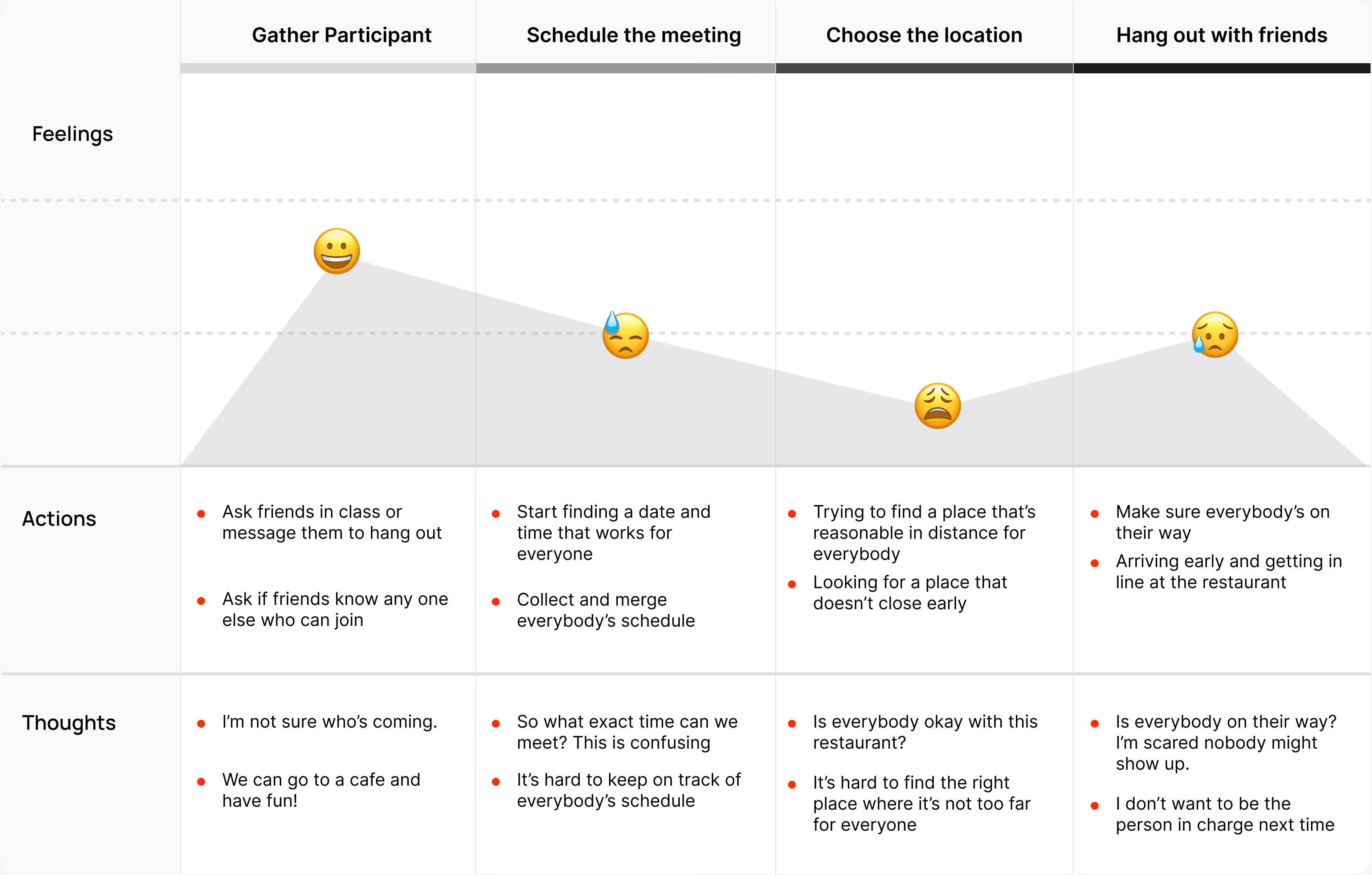
Plans get buried in long group chats, making it hard to track updates. It’s easy to miss who’s in or what’s confirmed.
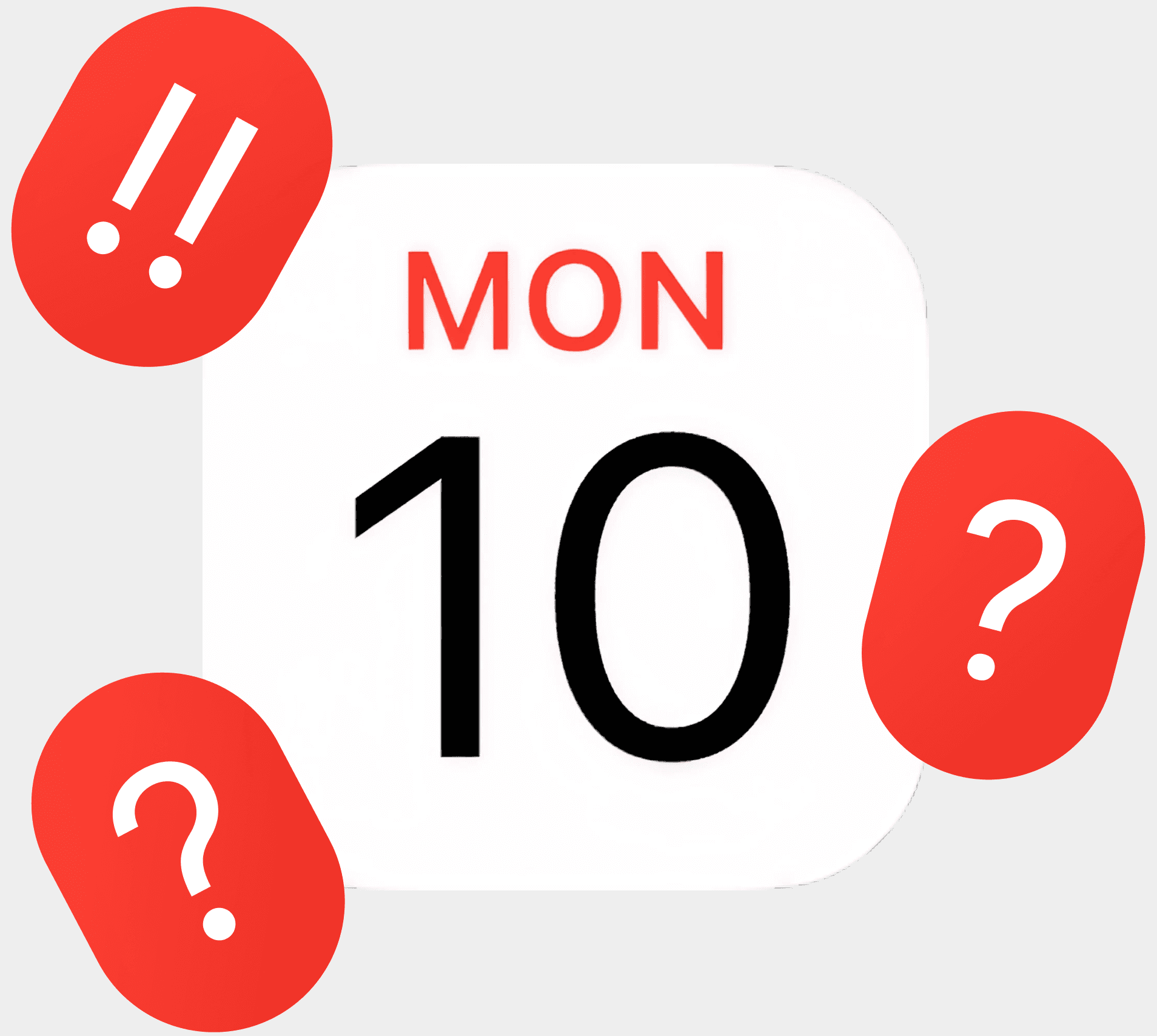
Finding a time that works for everyone can take long, especially in large groups.
What do people rely on planning?
Through these conversations, I found that most people rely on group chats and one key organizer when making plans with friends.

The main tool people use to plan. Most plans start naturally through chatting.
Most groups rely on one person to take initiative, someone who reminds others, summarize, and keeps plans moving.
Shaping solutions
Based on the findings, I started defining how Pinder could streamline process. I focused on clarifying user needs, mapping the overall flow, and setting up the foundation for the design direction.
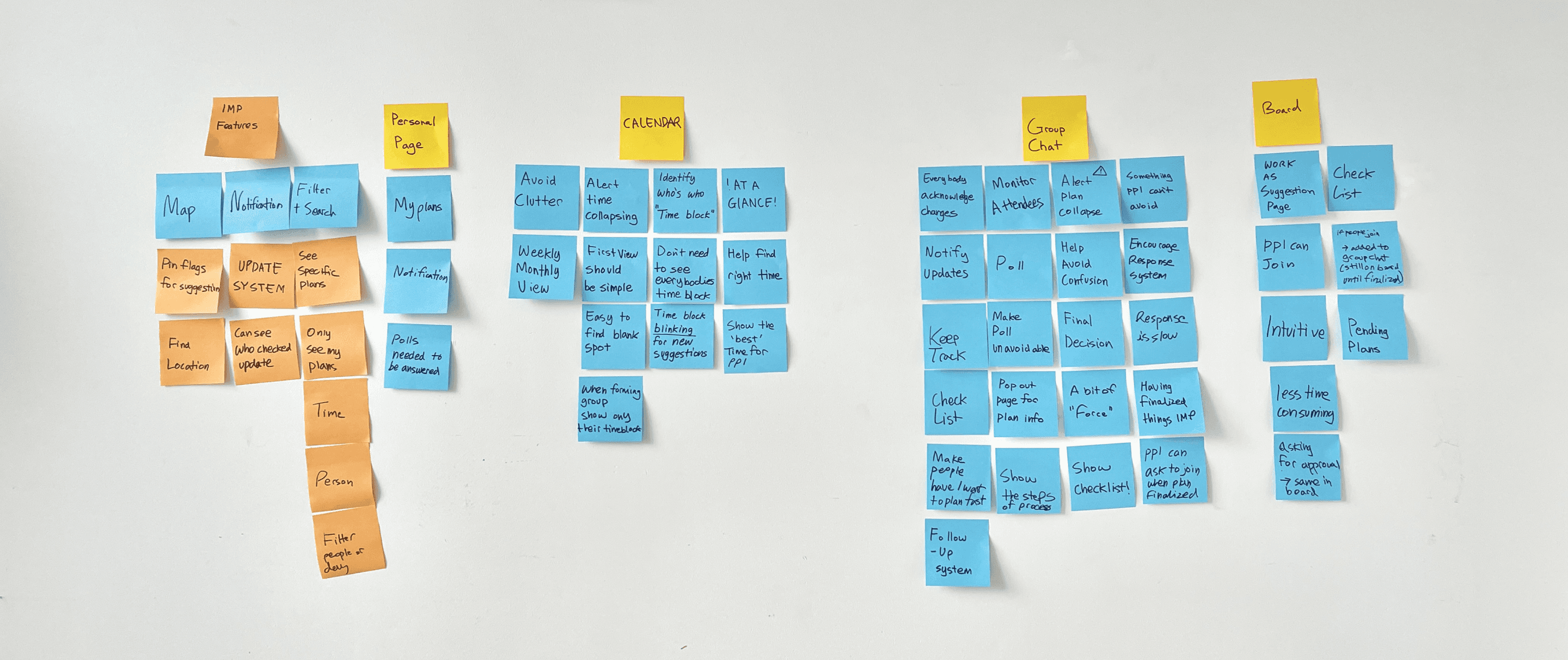
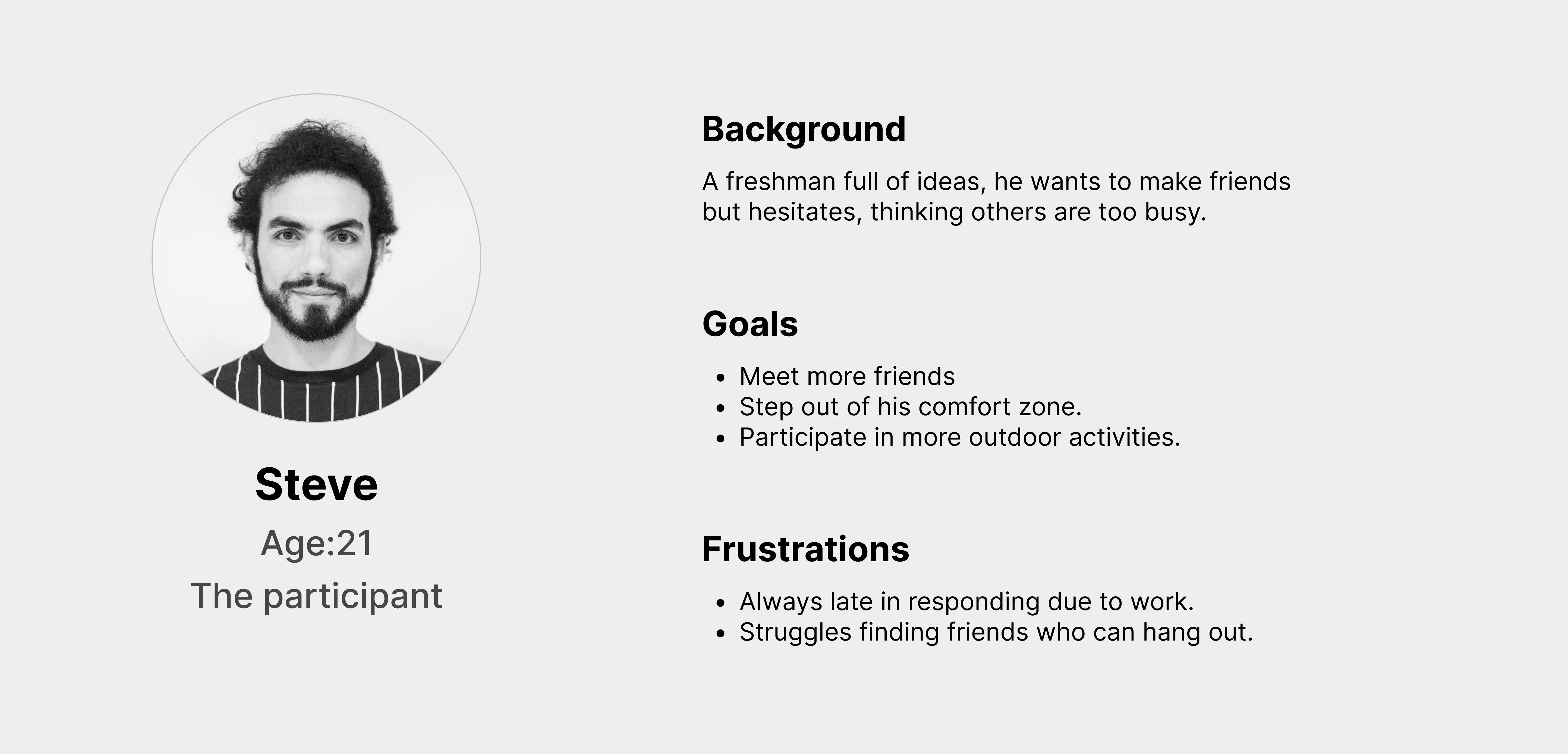
Methods used: Information architecture, card sorting, affinity mapping, personas, and journey mapping.
Design goals
From these insights, I defined key goals that guided the design of Pinder:
DESIGN
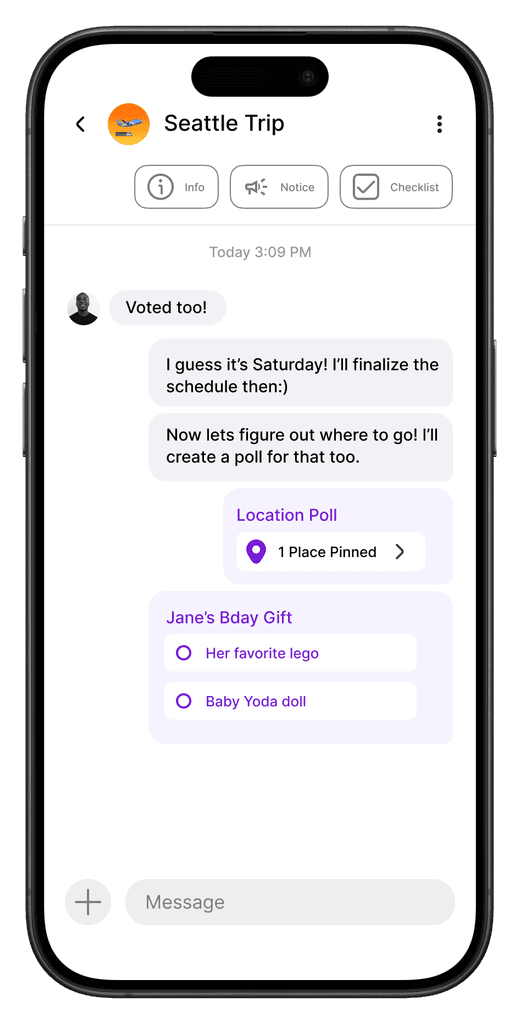
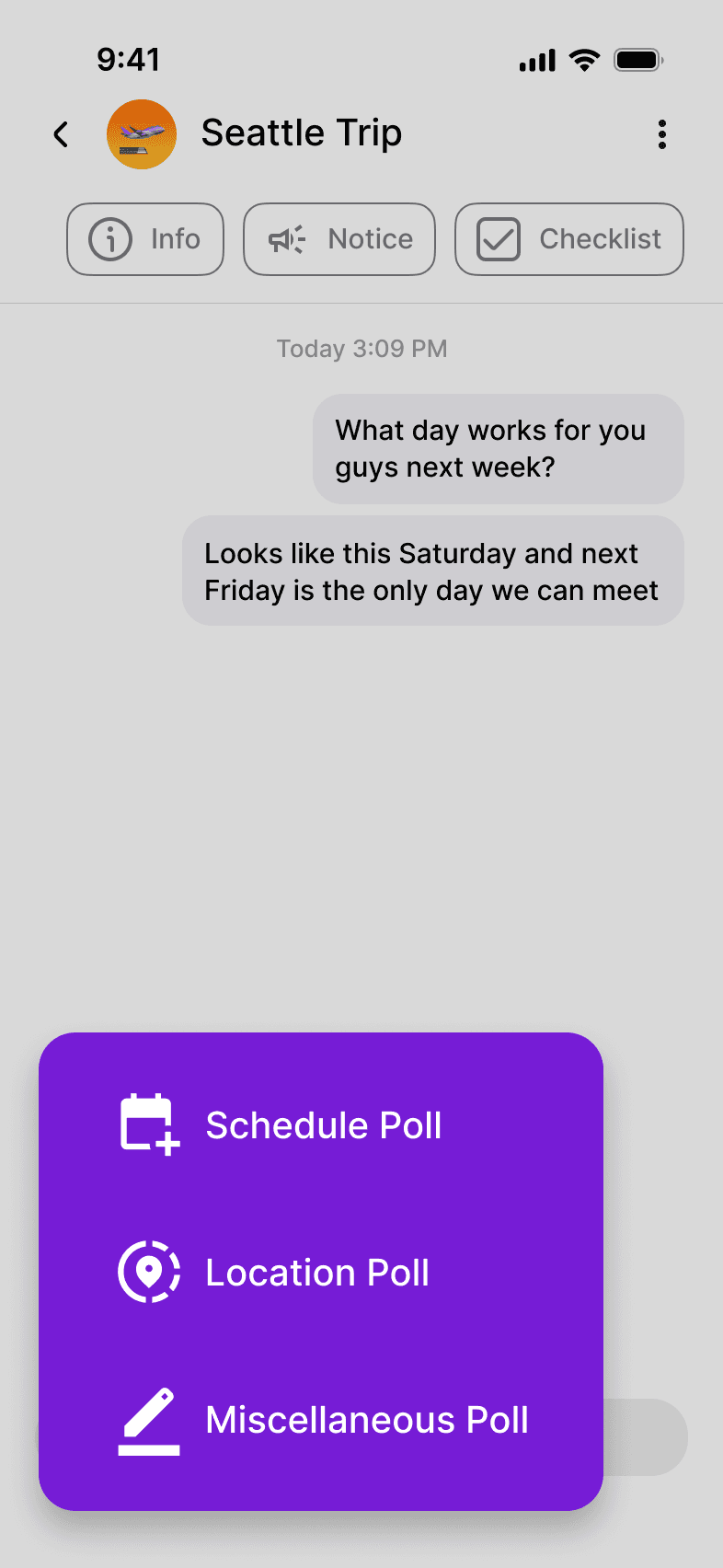
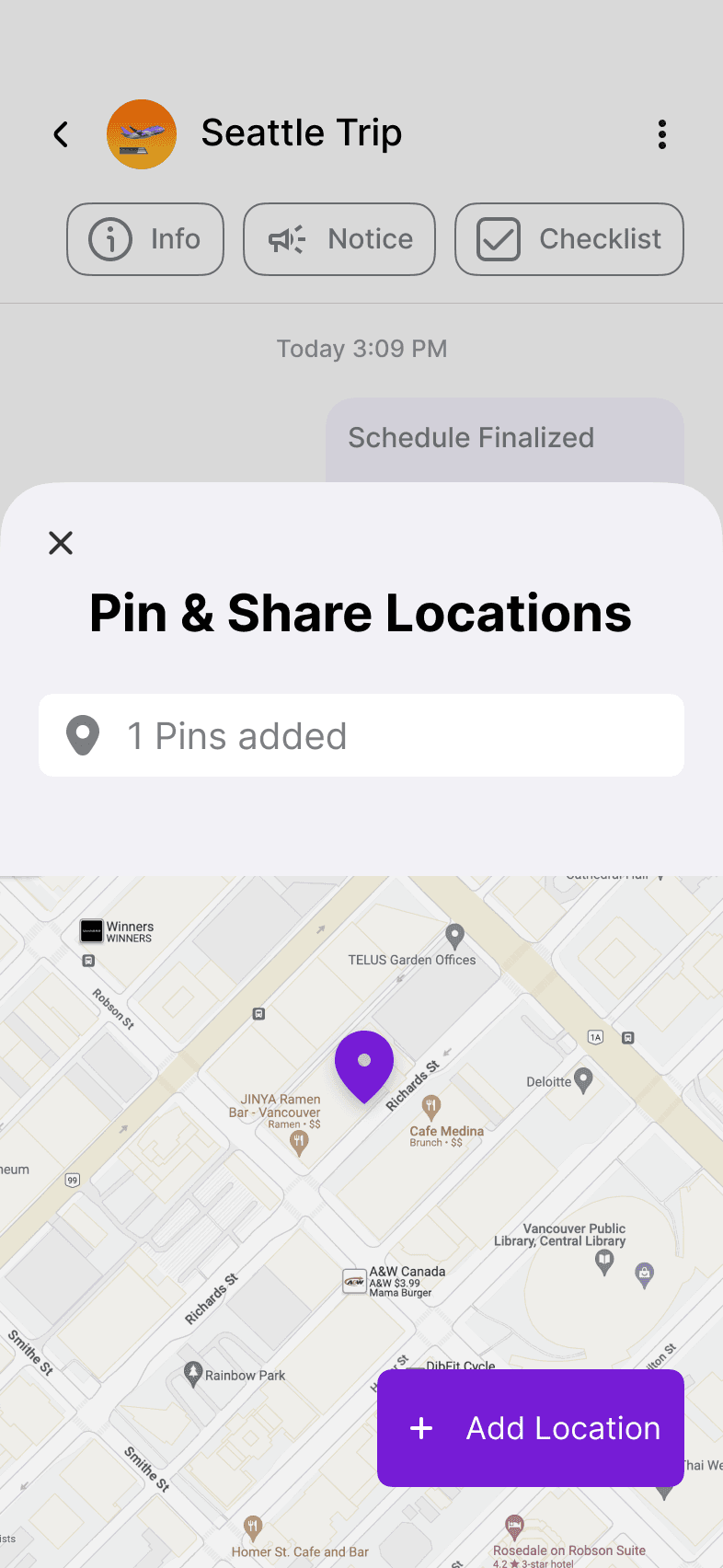
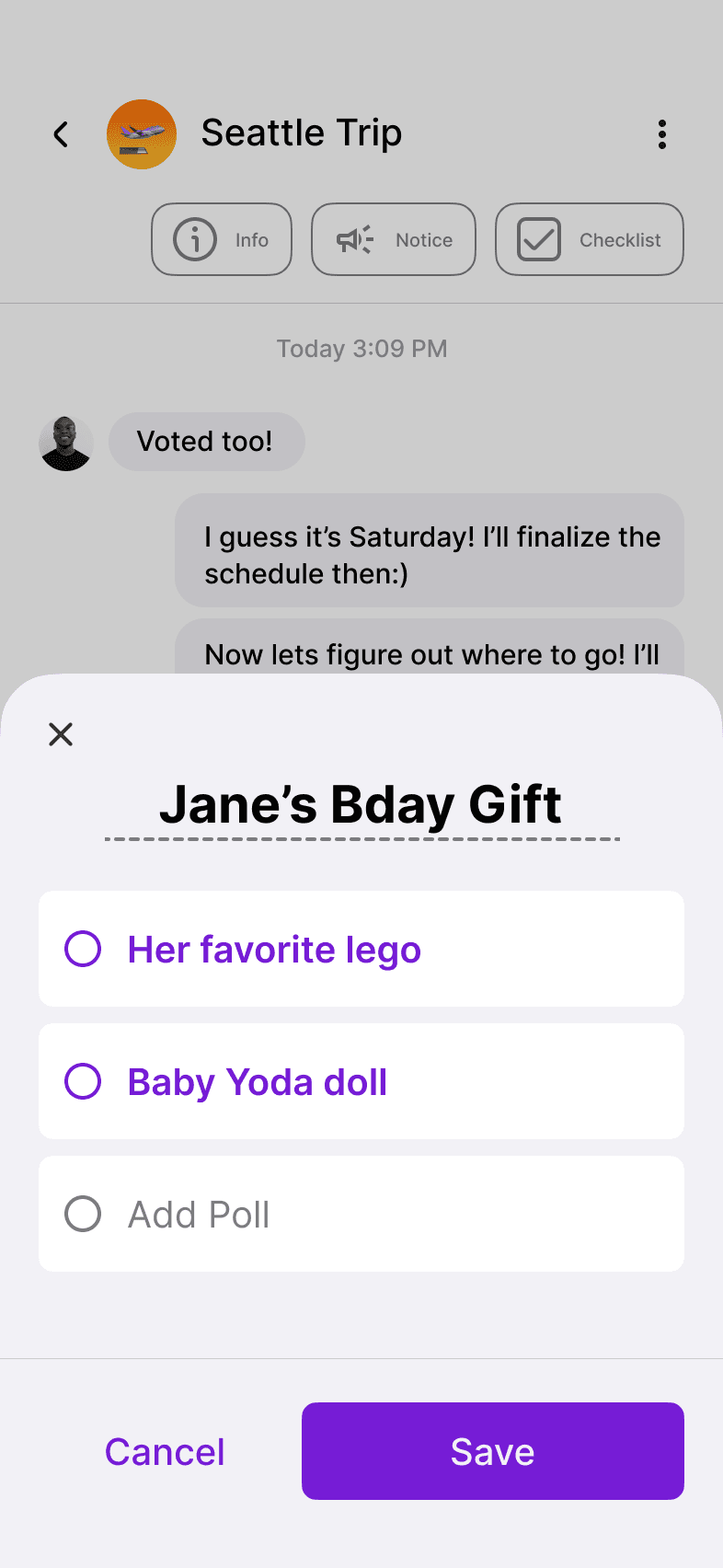
Decide through polls
Users can create schedule, location, or miscellaneous polls to replace long chat discussions. This feature helps groups make decisions quickly and keeps planning organized in one place.
Schedule poll
Poll selection
Location poll
Miscellaneous poll
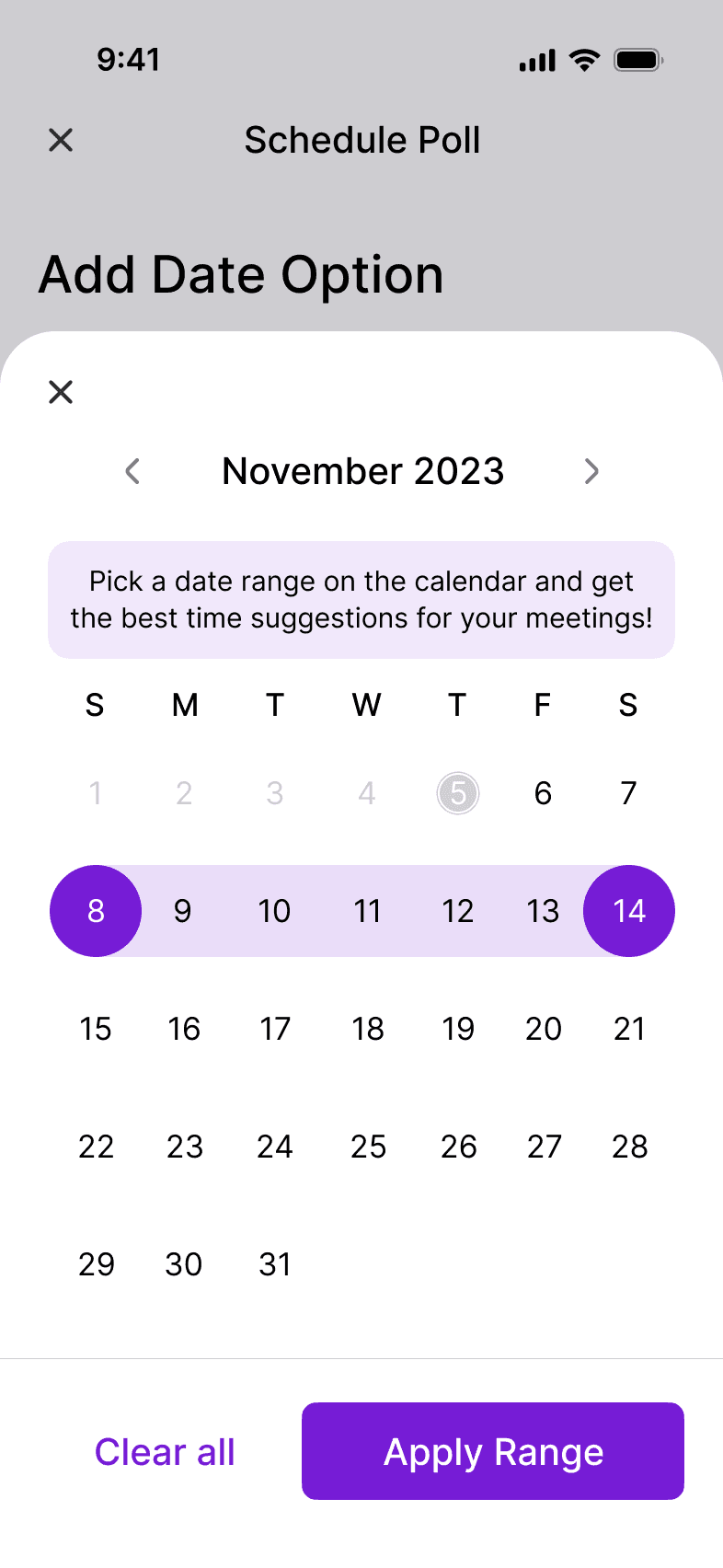
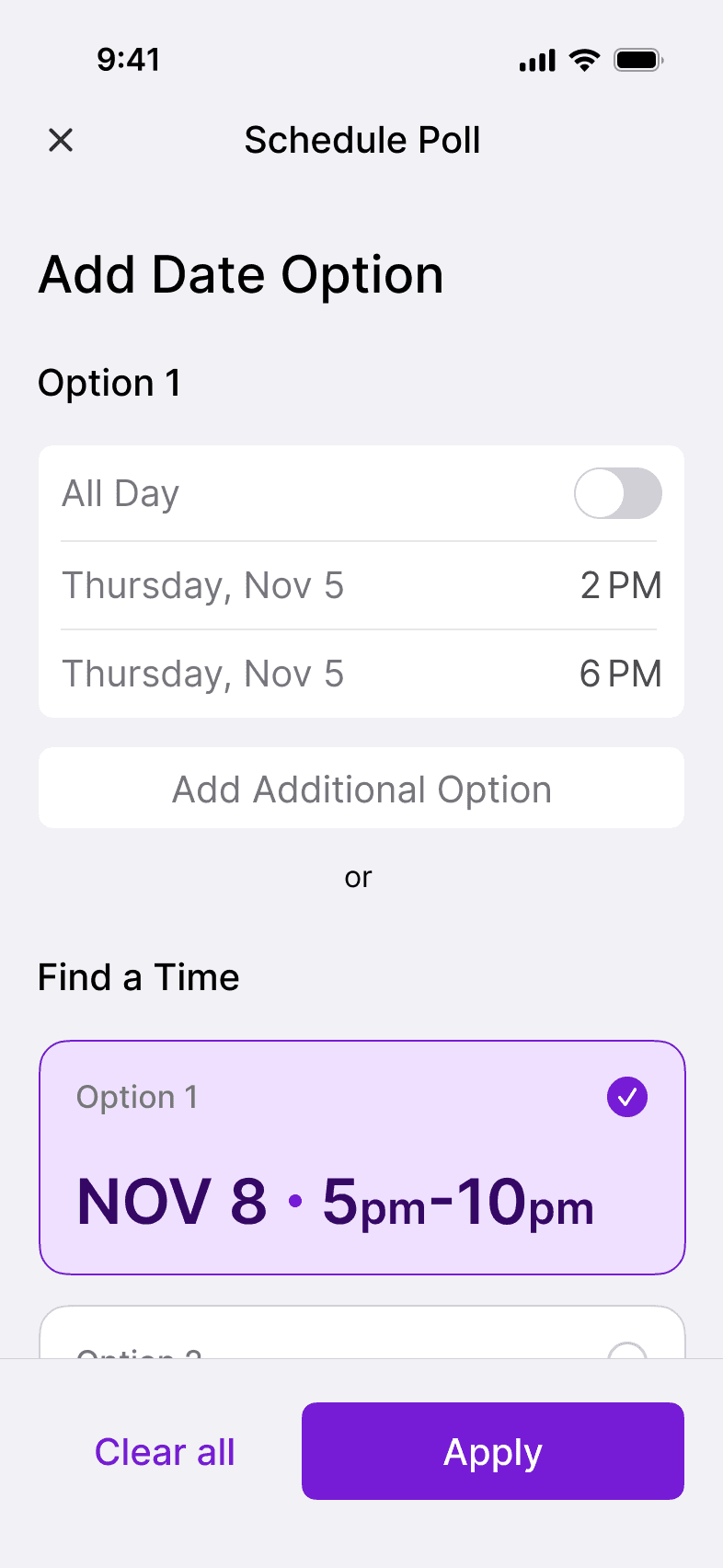
Time suggestions
When users add participants and set their available time ranges, the system automatically recommends dates and times when everyone is free. This makes scheduling faster and less stressful.
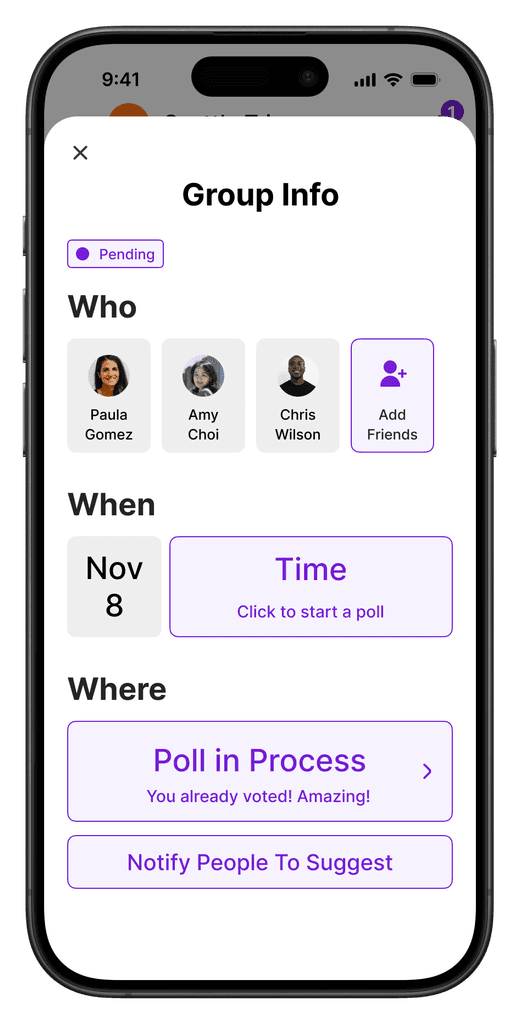
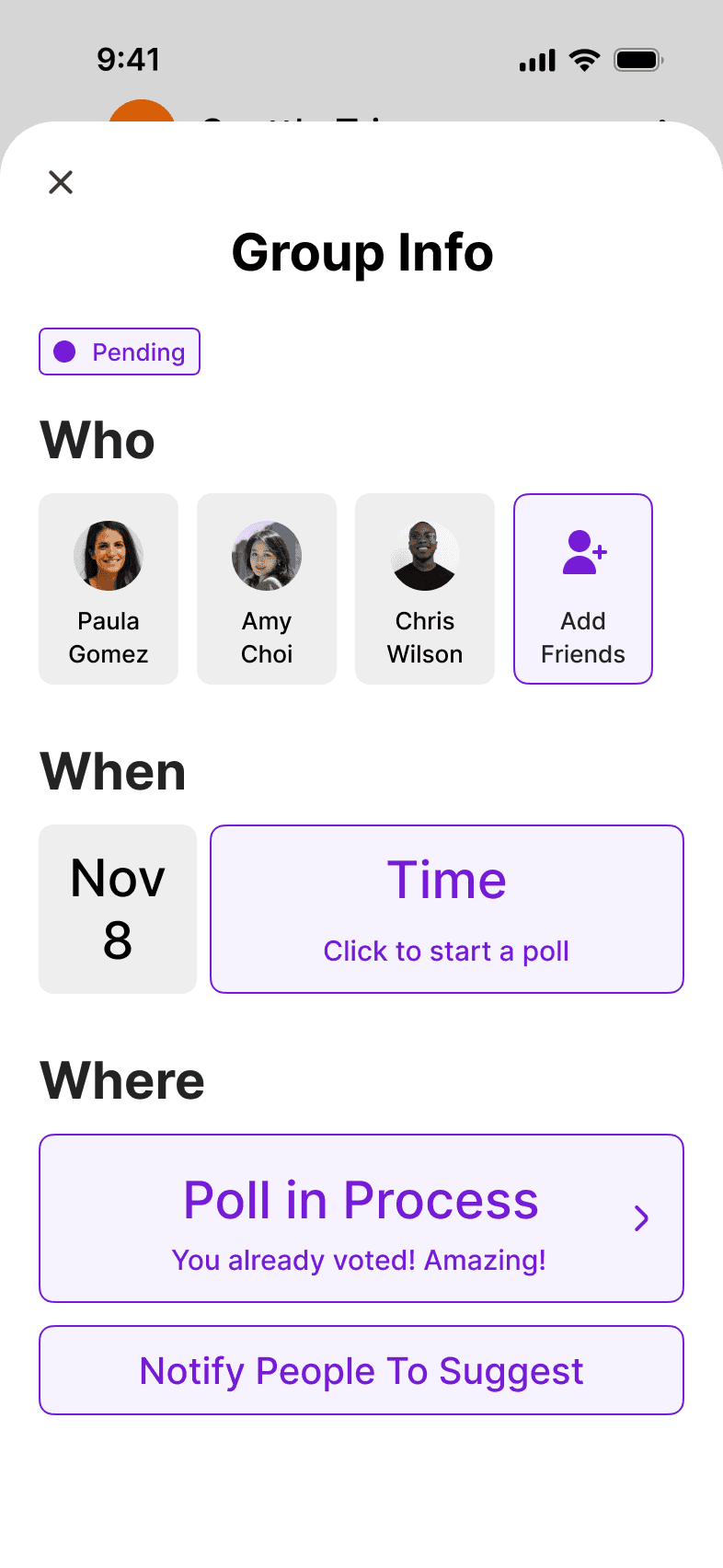
Planning dashboard
The planning overview keeps all group details updated in real time, from participants to locations. Users can easily see what’s pending or confirmed without scrolling through chats.
Availability at a glance
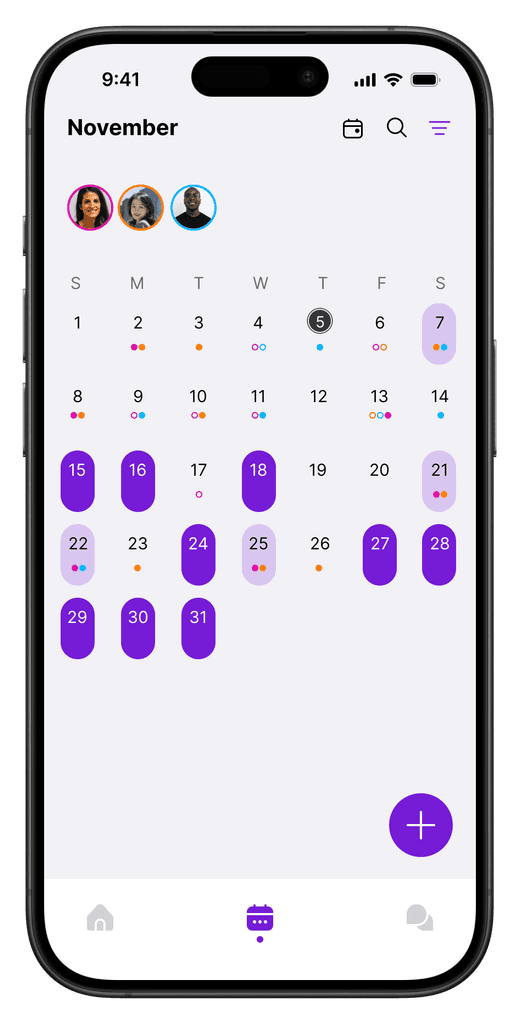
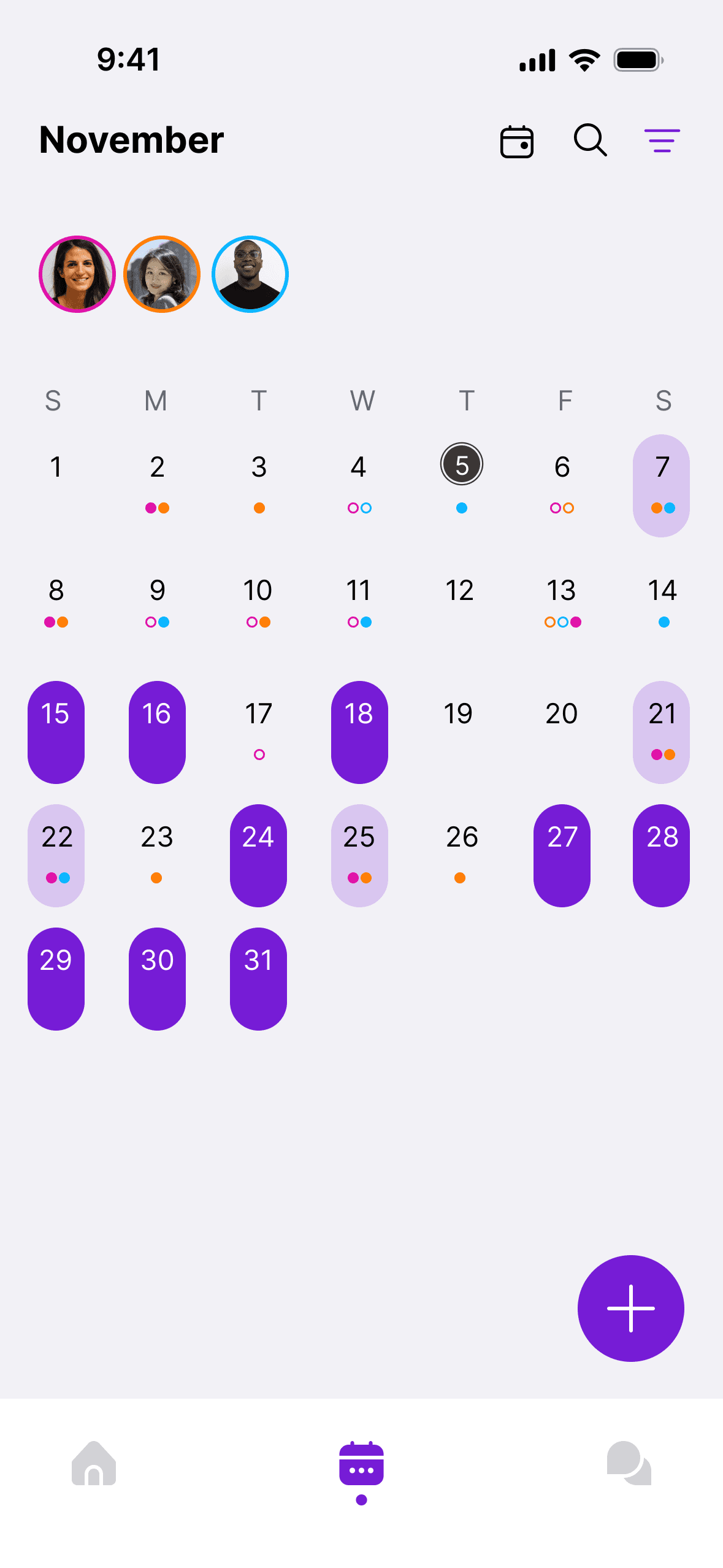
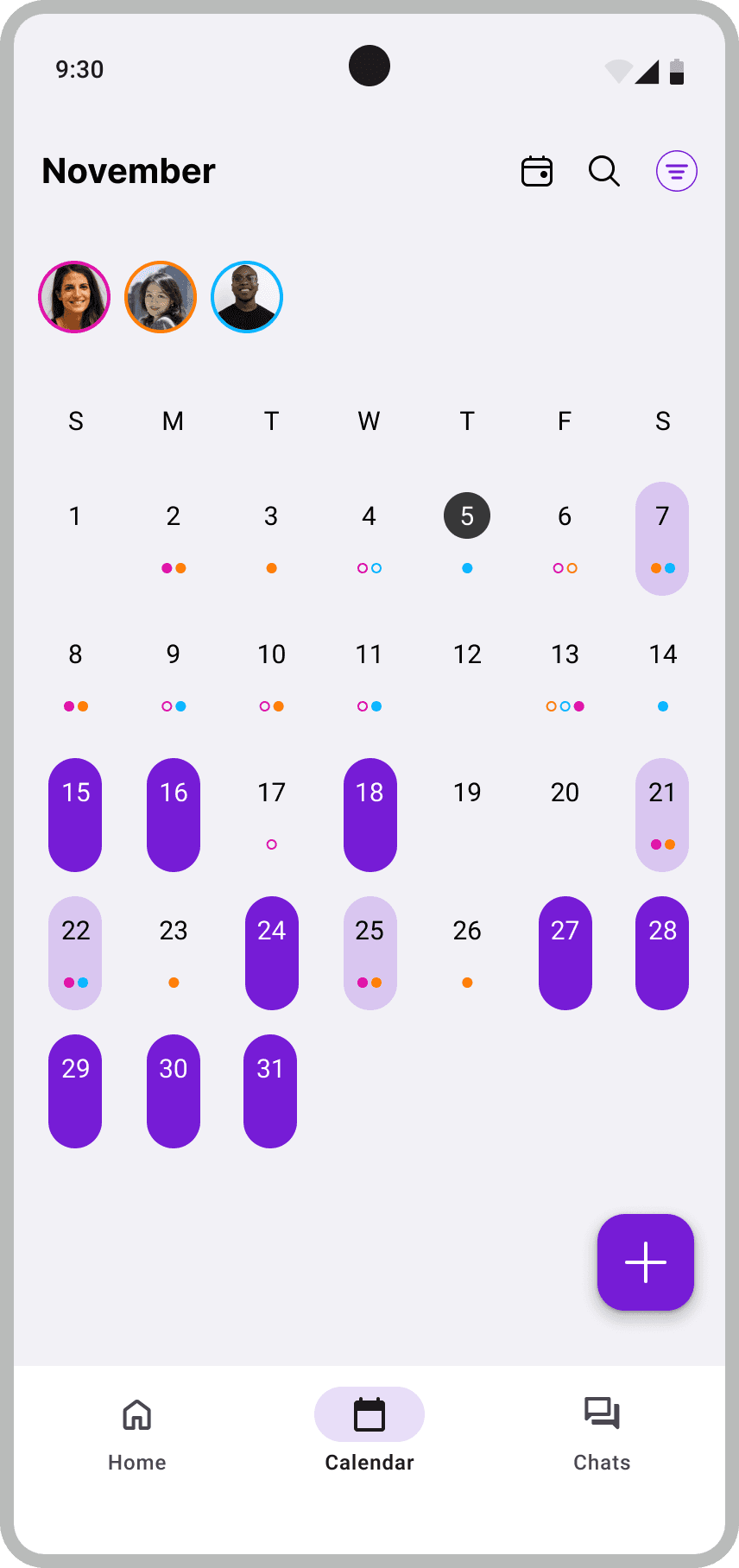
The shared calendar provides an overview of friends’ schedules within the app. Users can filter participants to focus on specific people, instantly revealing overlapping free times.
Calendar page
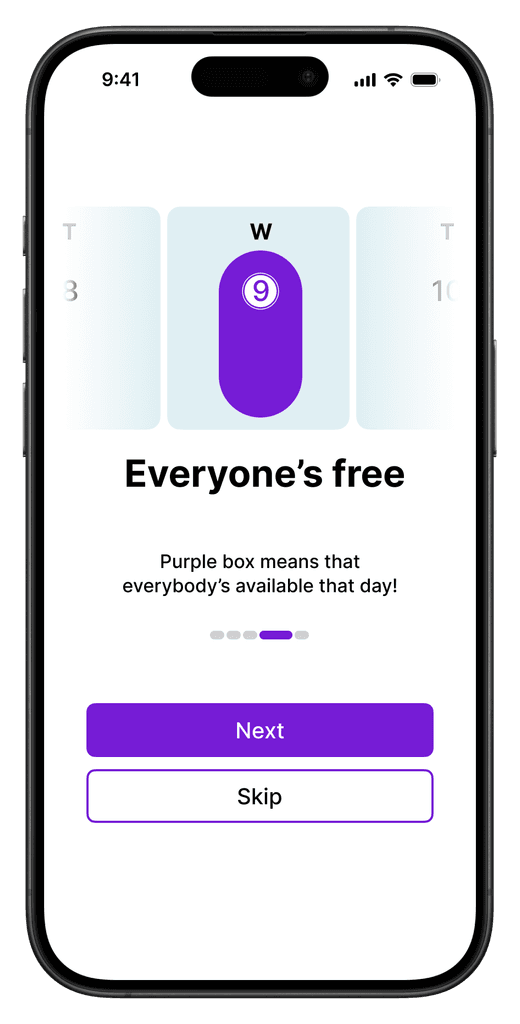
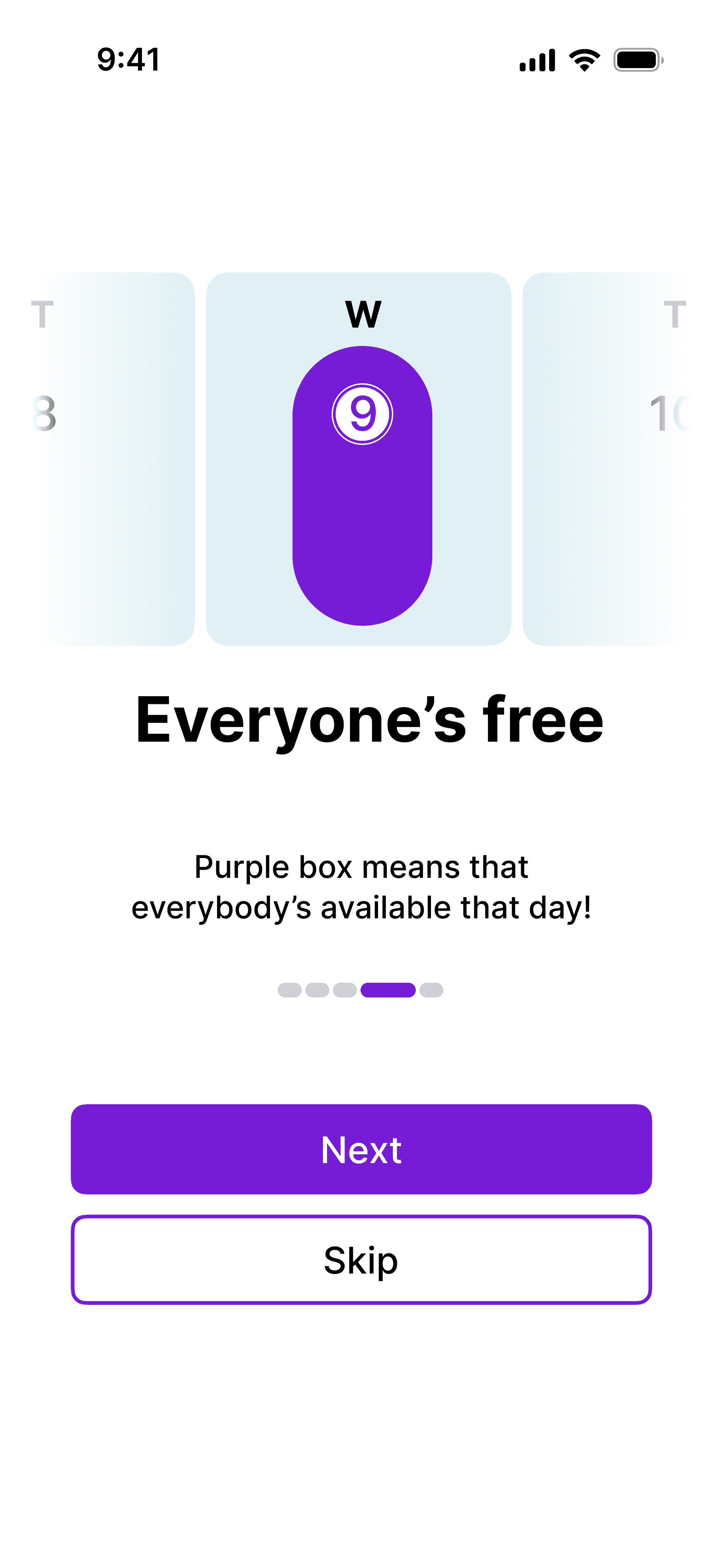
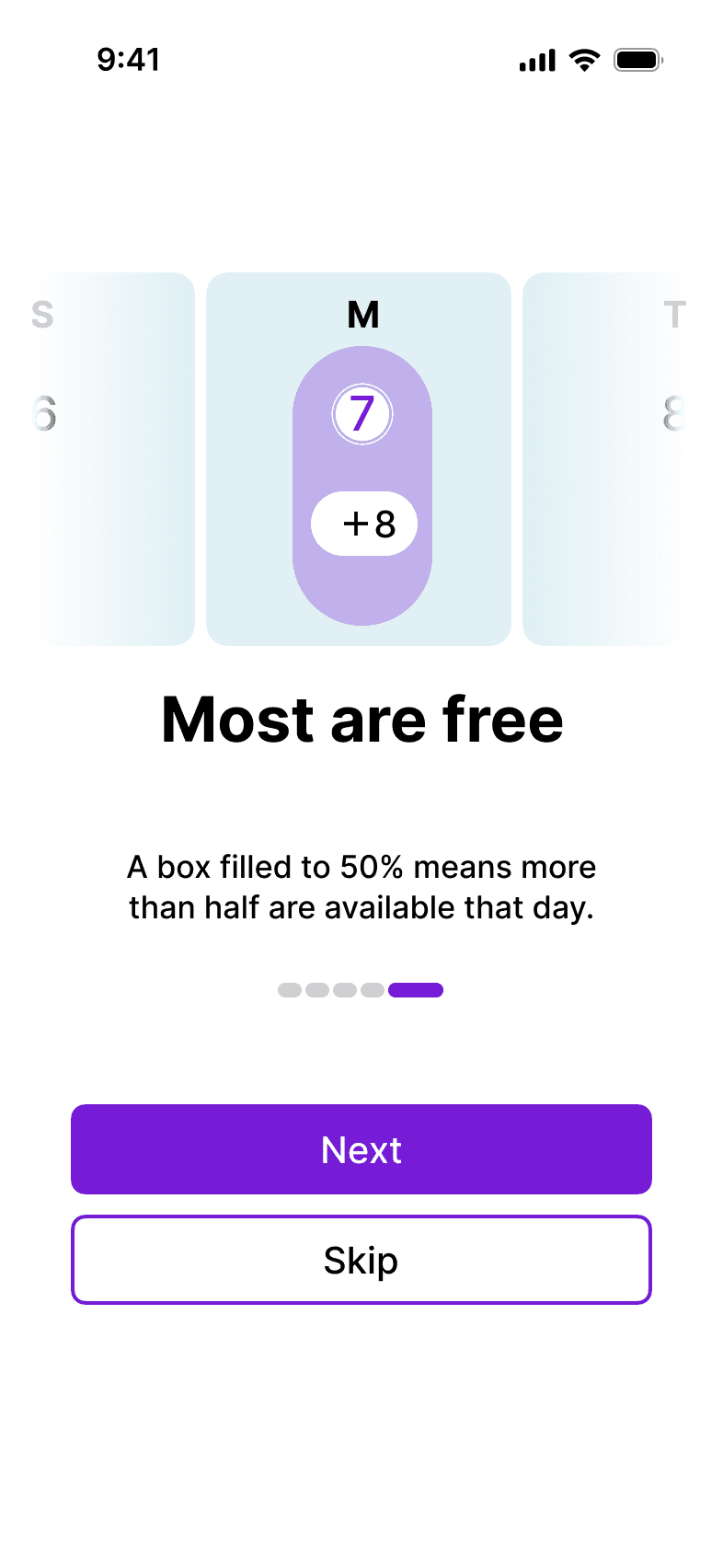
Onboarding screens
Android adaption
While the main design followed Apple's Human Interface Guidelines, I also explored Android's distinct interaction patterns to see how Pinder could adapt across systems.
Date picker
Use of sheets
FAB & Navigation bar
DESIGN PROCESS
From wireframes to prototypes
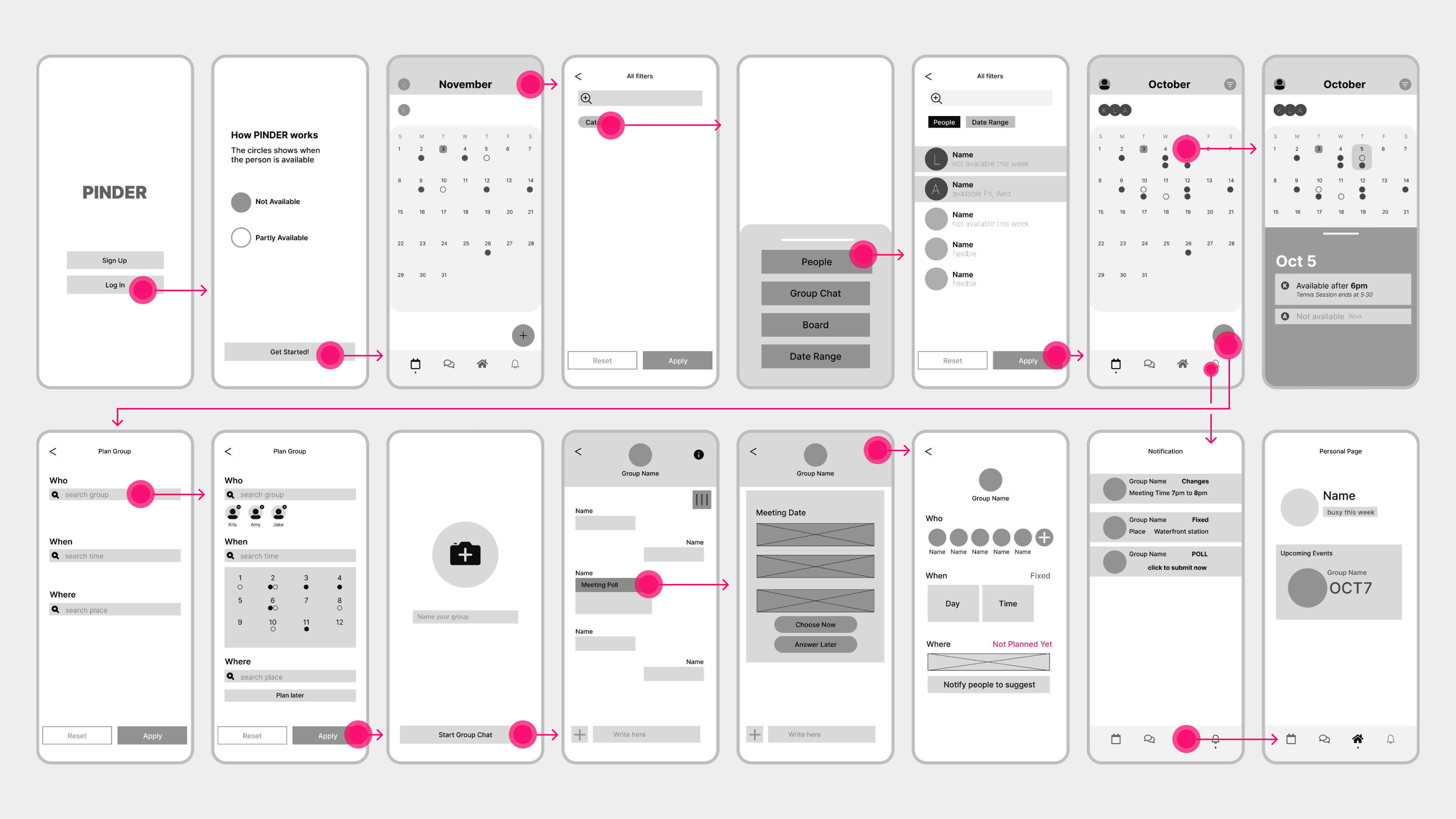
Low-fidelity wireframes
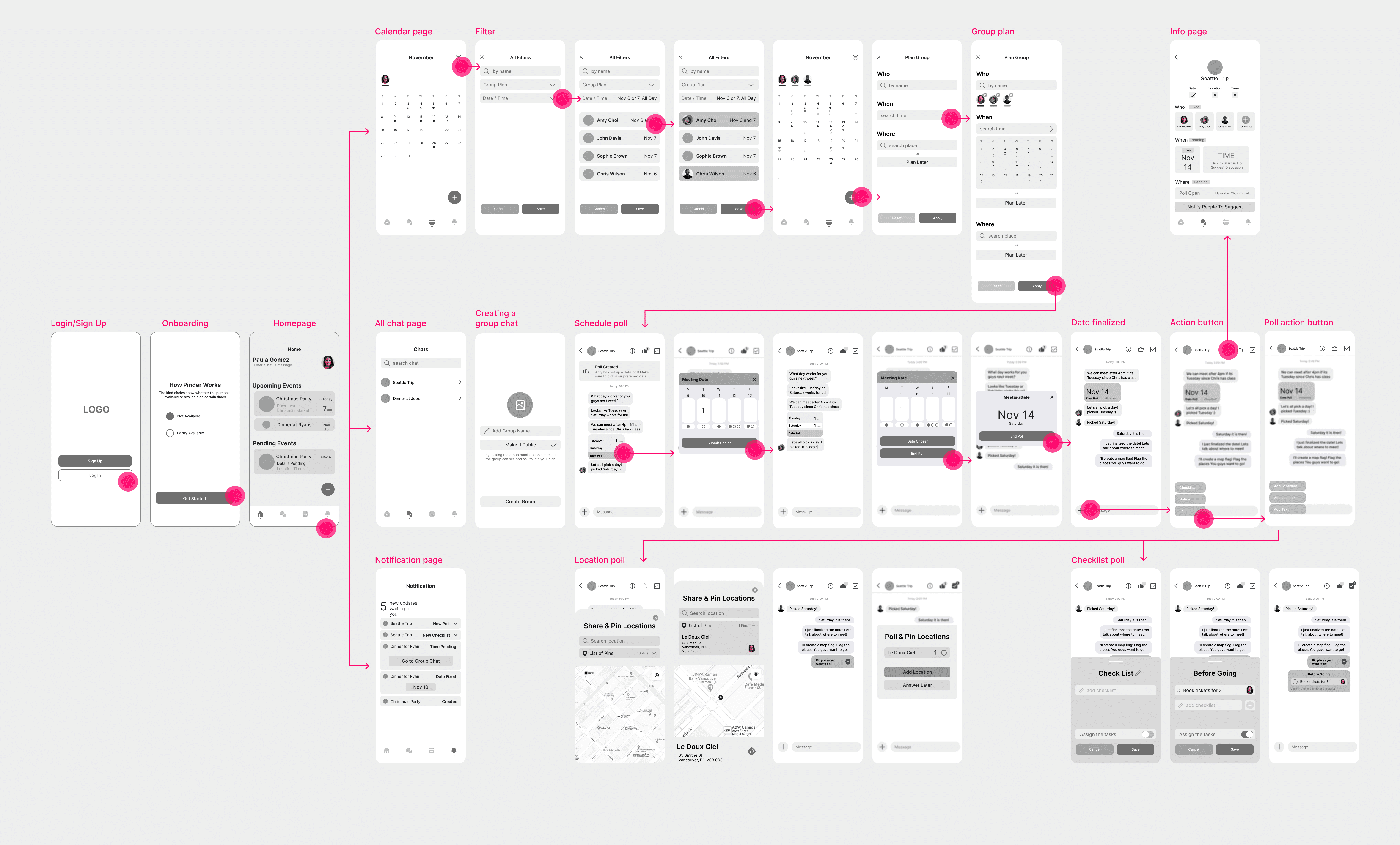
Mid-fidelity wireframes
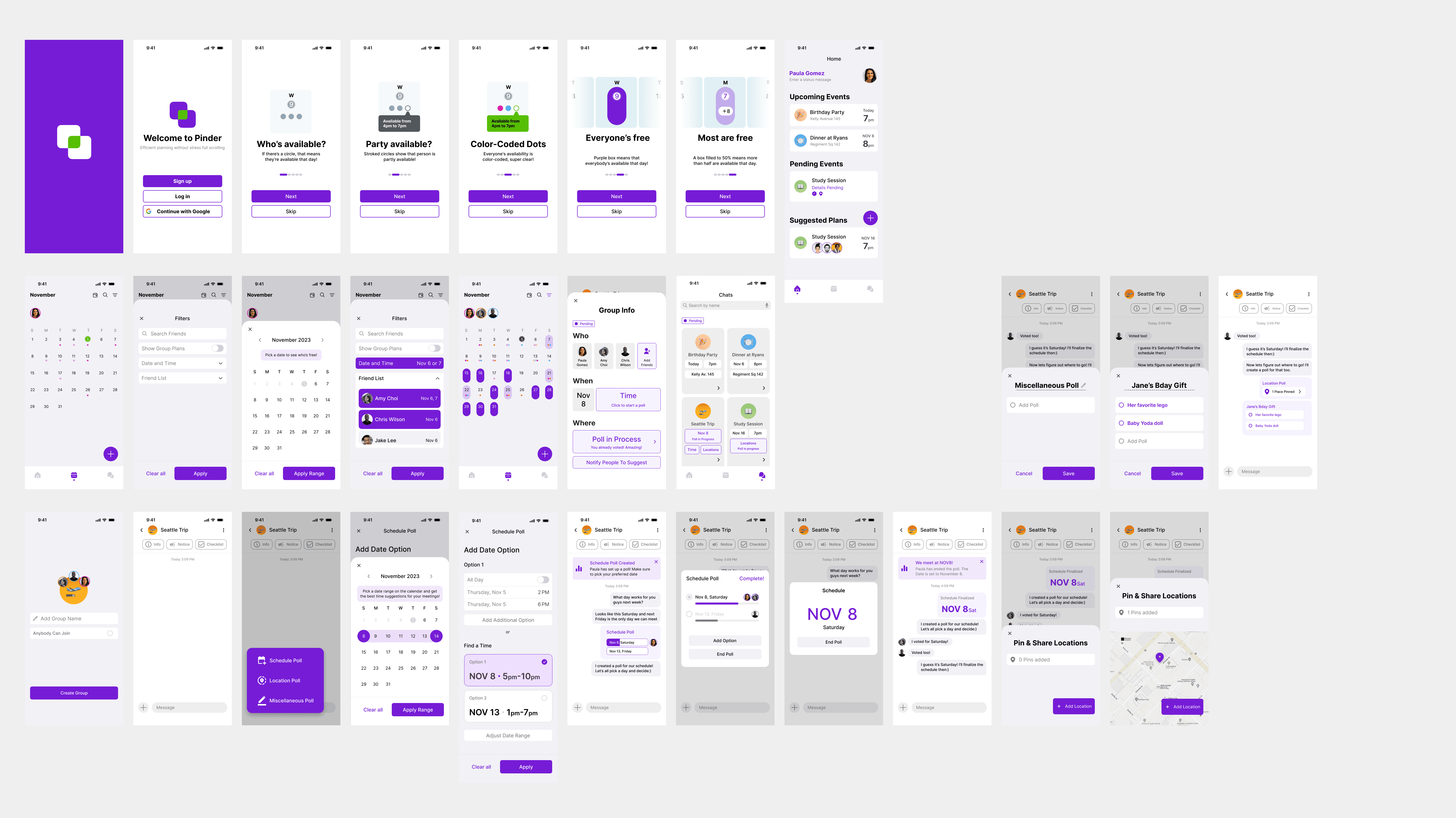
Final product prototype
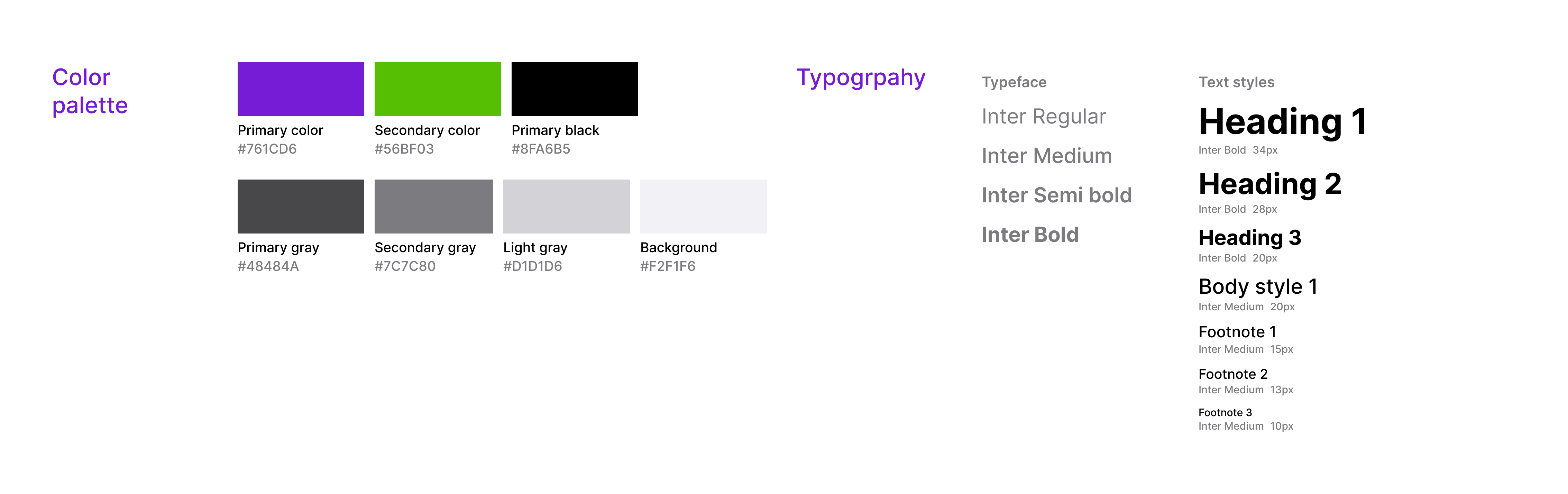
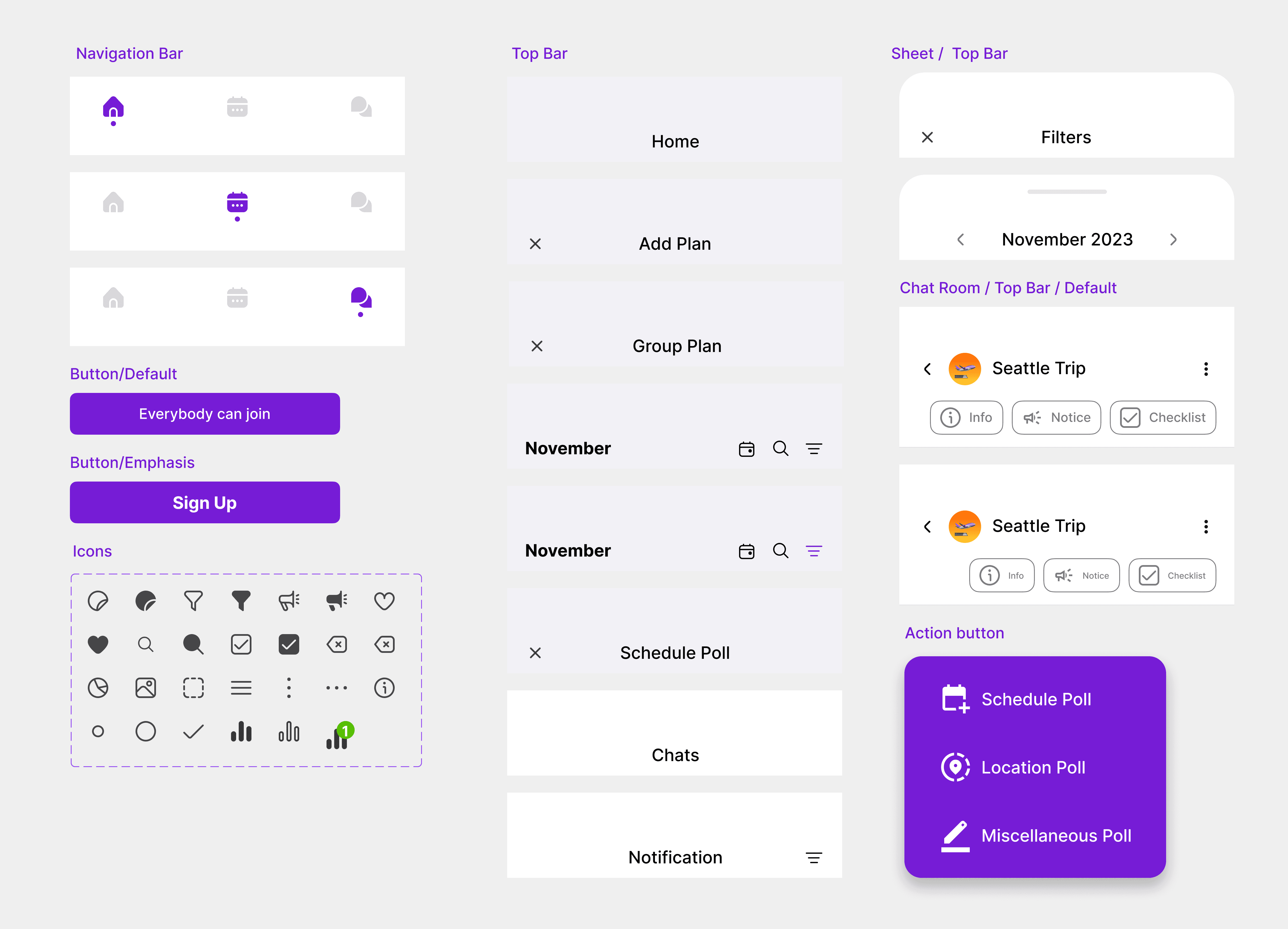
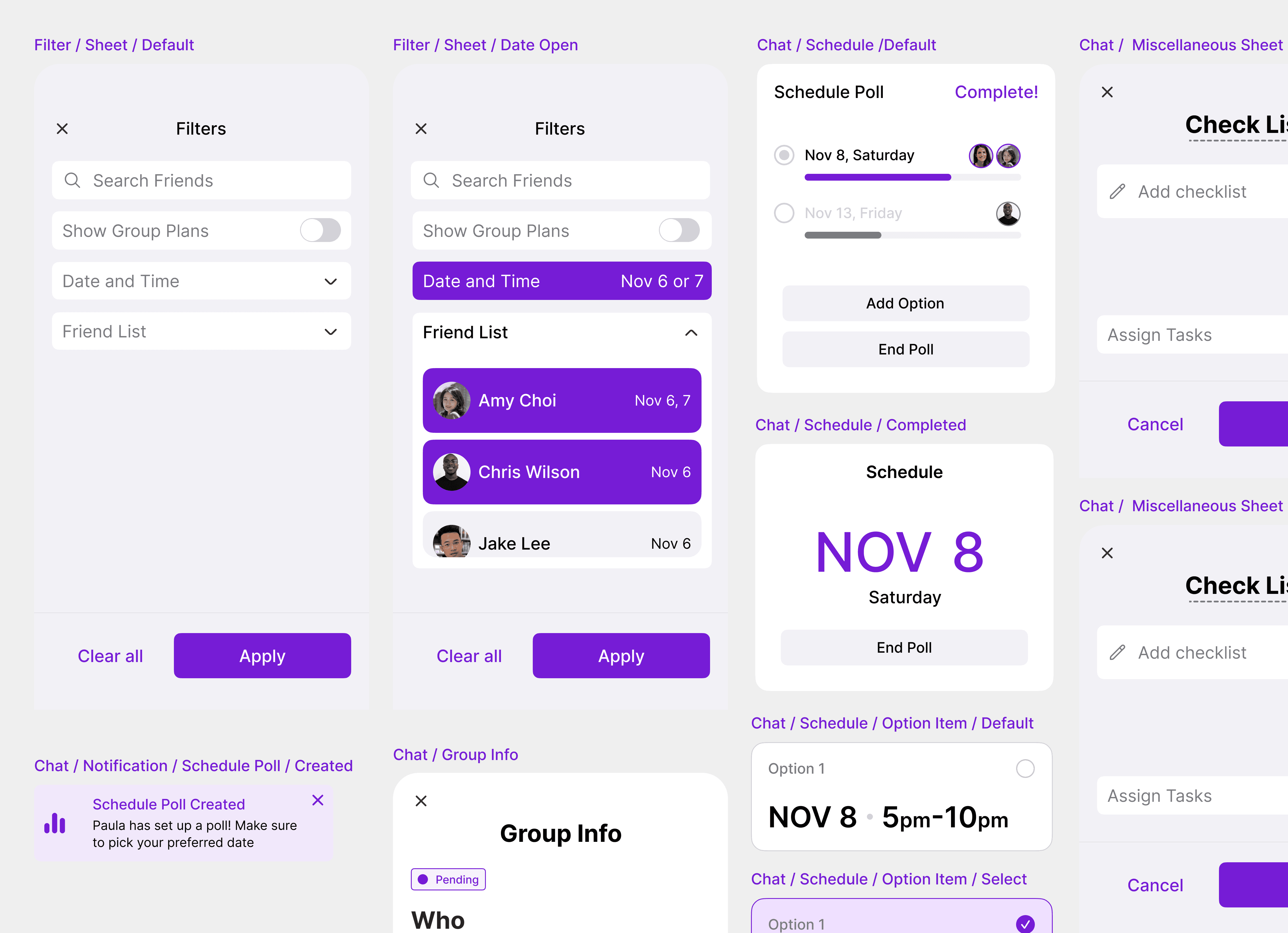
Visual identity
To maintain consistency and scalability, I applied a unified color system, typography, and UI components. Following these rules helped boost the overall design process.
REFLECTION
Takeaways
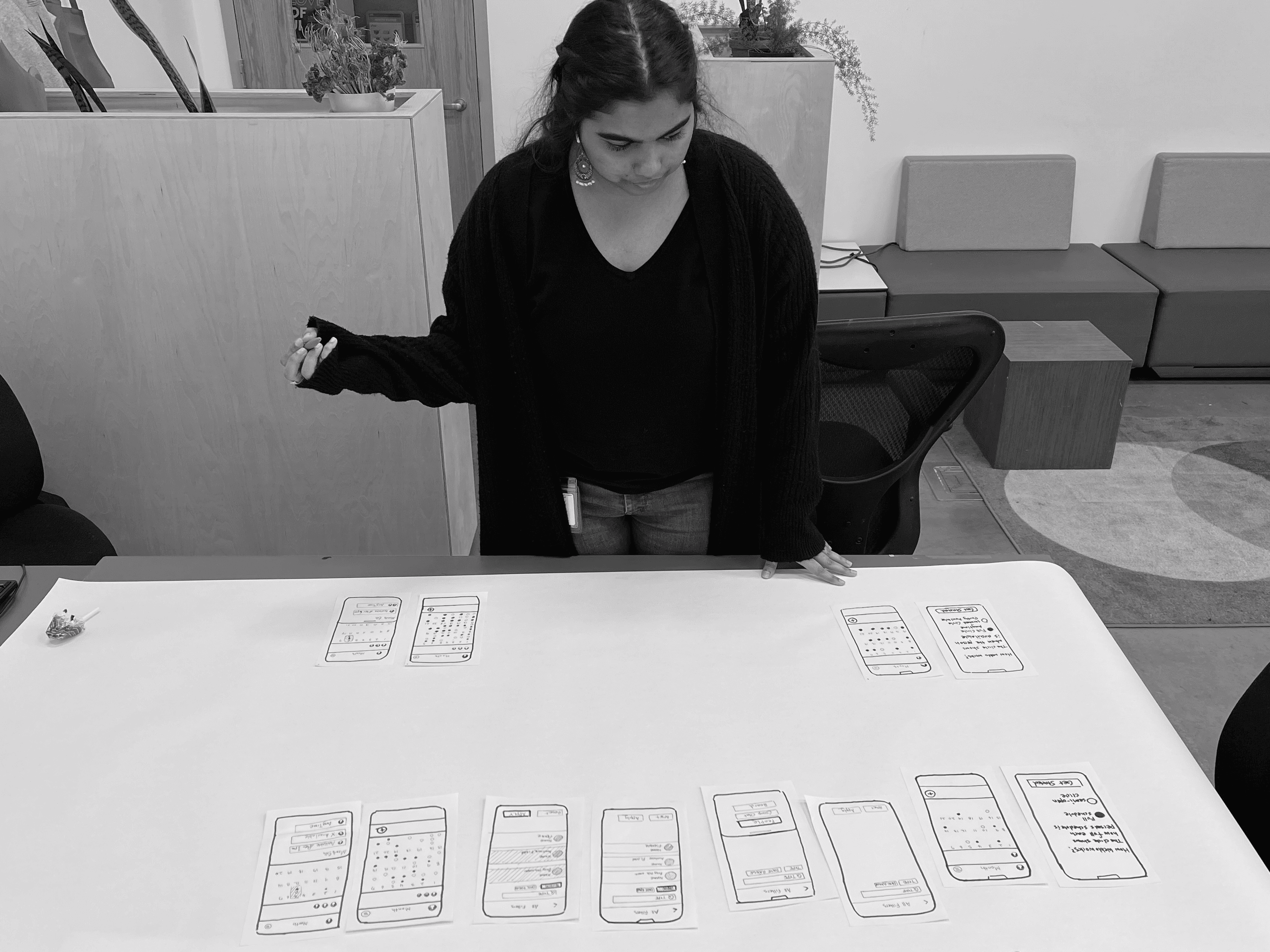
I learned to build every component with structure and define a clear visual identity. Quick paper prototypes during testing, as shown in the photo, taught me to stay flexible and find new ways to validate ideas. If I had more time, I want to:
If I had more time, I would focus on creating design tokens to make the design system ready for development and easier to scale.
I’d explore turning Pinder into a subscription app. What features would set the paid version apart, and how could it benefit both users and the business?